DayZ server manager for Windows
Run a modded DayZ server without the guesswork
DyzOps installs DayZ servers on your Windows PC or rented box, keeps the mod pack starting, and runs restarts, backups, the economy and your players from one app.
Version 3.4.200 · 44 MB · Windows 10, 11 or Server 2022, 64-bit · SHA-256
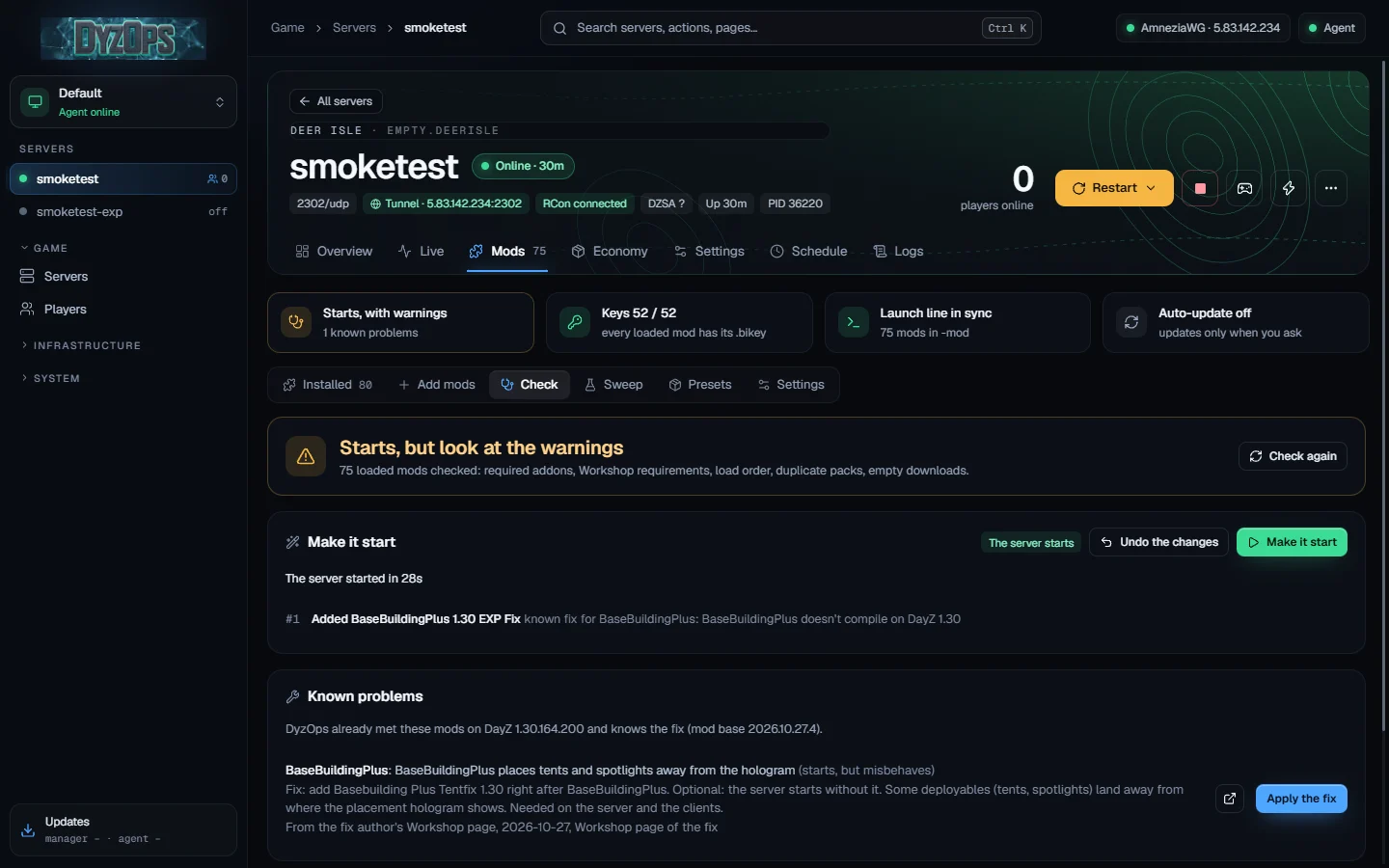
Mod packs that start
Before a start DyzOps checks every loaded mod: required addons, Workshop requirements, load order, duplicate packs and empty downloads.
When the server hangs or fails while starting, Make it start boots it, reads the logs, names the mod the first error comes from and fixes it. Every change can be undone.
Fixes it already knows come from a public base: known DayZ mod problems (6).
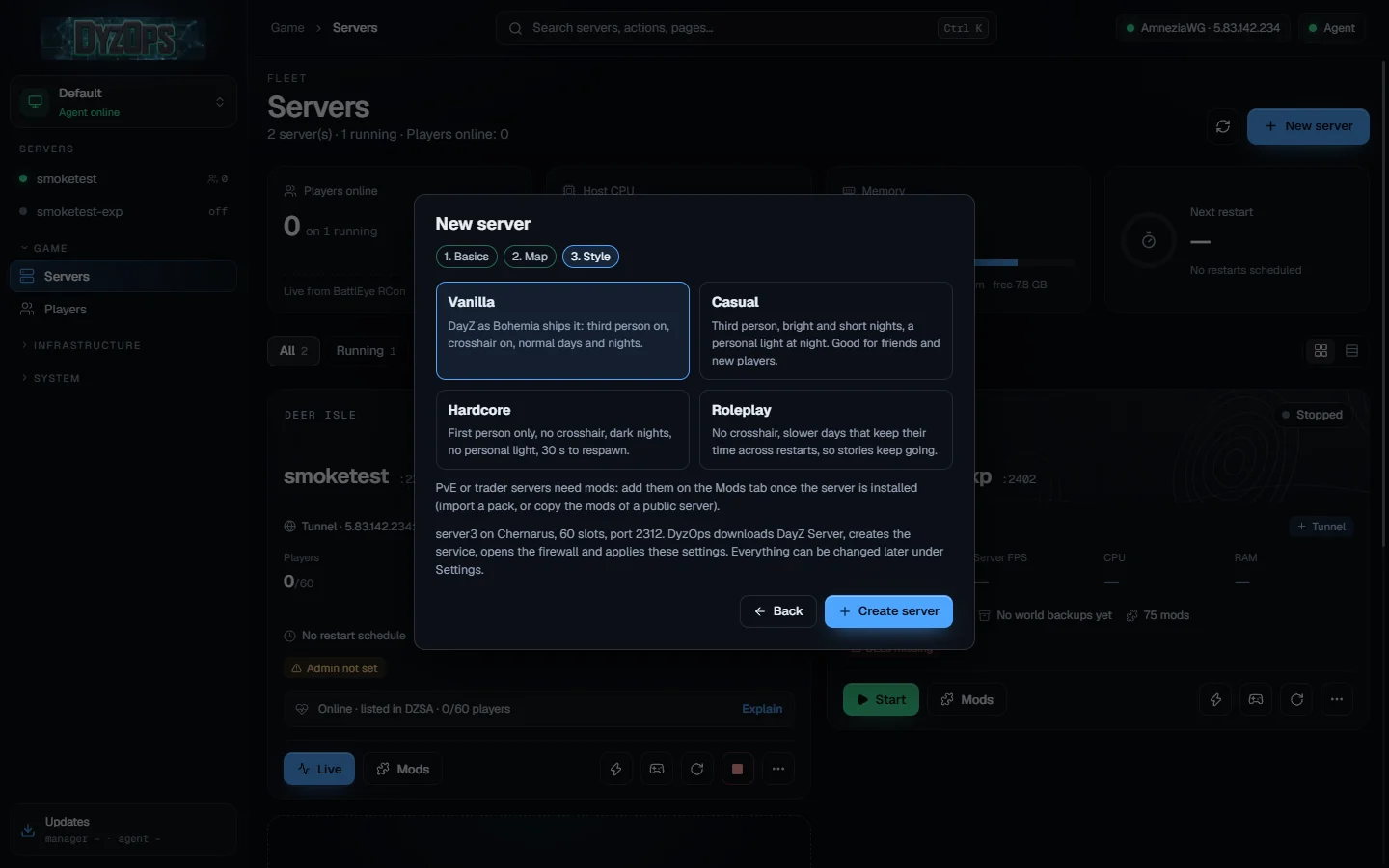
A new server in three steps
Name, slots and password; then the map: Chernarus, Livonia, Sakhal, Nasdara or Deer Isle; then the style: Vanilla, Casual, Hardcore or Roleplay.
DyzOps downloads DayZ Server with SteamCMD, creates the Windows service, opens the firewall and applies the settings. The Experimental build is one checkbox away.
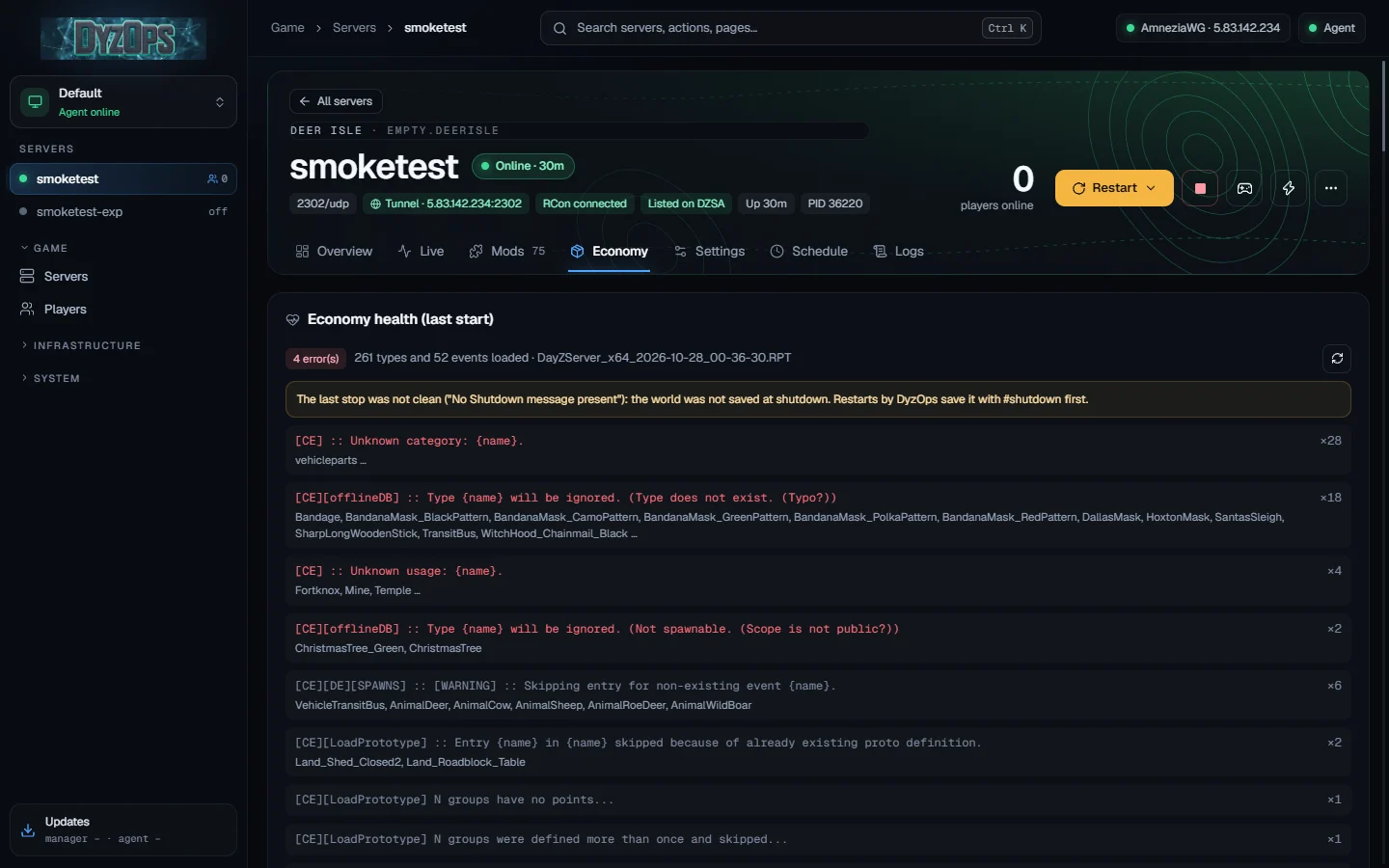
An economy you can read
After each start DyzOps reads the server log and groups what the Central Economy rejected: unknown categories, types that do not exist, duplicate definitions.
Edit types in bulk, compare them with vanilla and reset, edit mission files, init.c and the mod configs in profiles. When DayZ updates, your changes to types, events and spawnable types are merged into the new files.
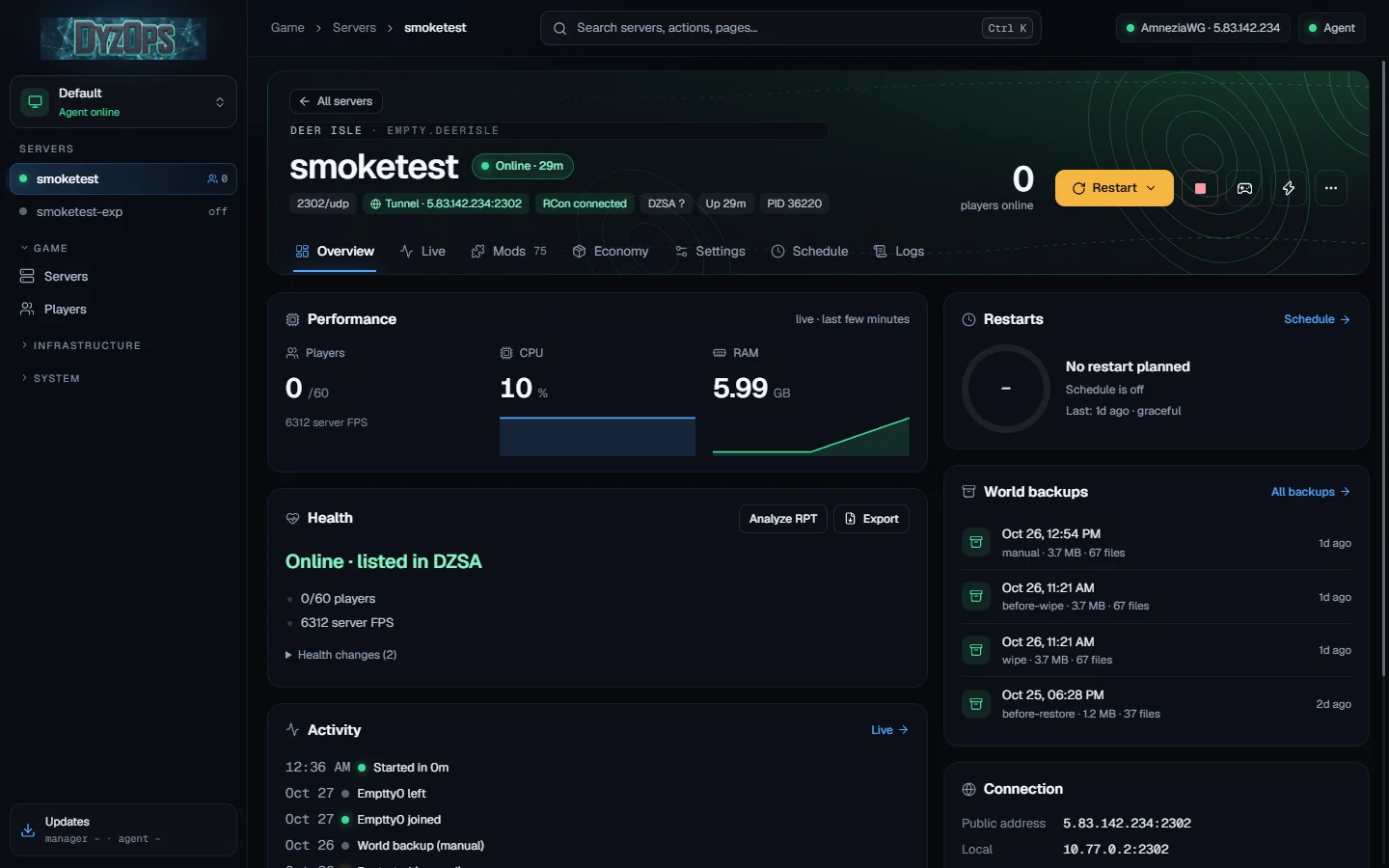
Restarts that keep the world
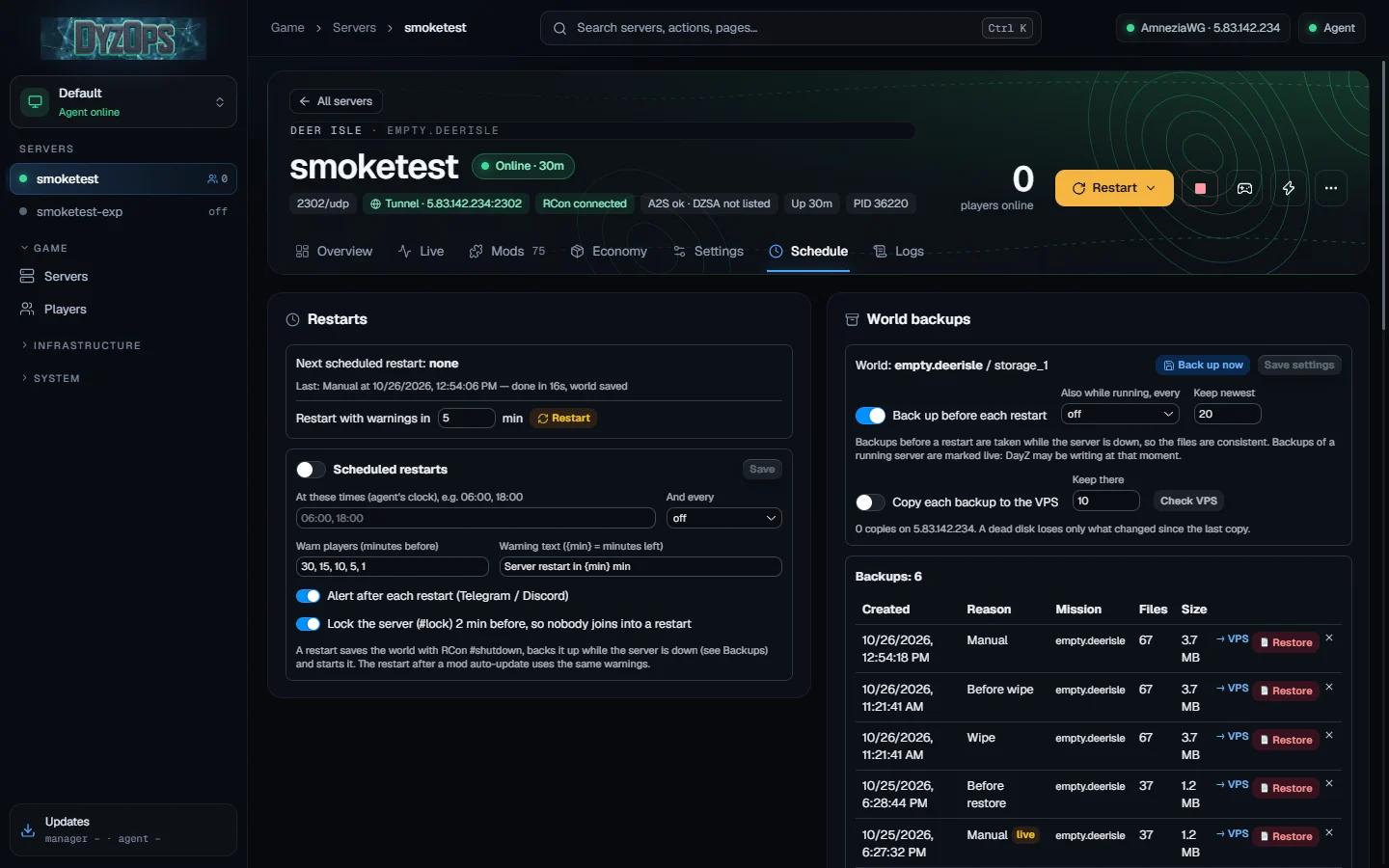
Scheduled restarts warn players in game, lock the server two minutes before, save the world and back it up while the server is down.
Backups can also go to your VPS, and any of them comes back with one click.
Also in the box
- LiveChat and console over RCon, players, kicks and bans, whitelist and priority queue.
- MapWhere players are, PvP kills, bases and raids, drawn over the map's own terrain.
- Discord and TelegramKill feed, a live status card, joins and an admin log; if-then rules for your own alerts.
- ModerationOne history per player across servers, notes and warnings; long-range kills, kill streaks, combat logs and raids are flagged.
- Patch dayTry the next DayZ on a copy of your server running Experimental before it reaches your players. Mods on DayZ 1.30
- Hosting at homeNo public IP? A tunnel through your VPS (WireGuard or AmneziaWG) gives the server an address and gets it listed.
- Several PCs, one teamThe app on your desktop, the agent on each server PC. Every admin gets their own token and role.
- Shared mod packsSend a pack as a link, with proof of the server start it was checked on.
- Signed updatesThe app and the agent update themselves, and only from releases signed by DyzOps.
Install
- Download and run DyzOps-Setup.exe. The installer is not code-signed yet, so Windows SmartScreen may say “Windows protected your PC”: click More info, then Run anyway.
- Pick a drive with 30 GB or more free: servers, mods and backups live in the DyzOps folder. Setup adds the agent service, a Microsoft Defender exclusion for that folder and shortcuts.
- Open DyzOps, sign in to Steam on its SteamCMD page with an account that owns DayZ (Steam gives the server files only to owners) and press New server.
The server on another PC? Run DyzOps-Setup.exe /agent there and add it in the app under Agents. To remove DyzOps, use Installed apps in Windows settings.